Vocal Dojo
An iOS vocal practice app for singers, voice actors, and coaches that turns proven exercises into flexible, range-aware workouts.
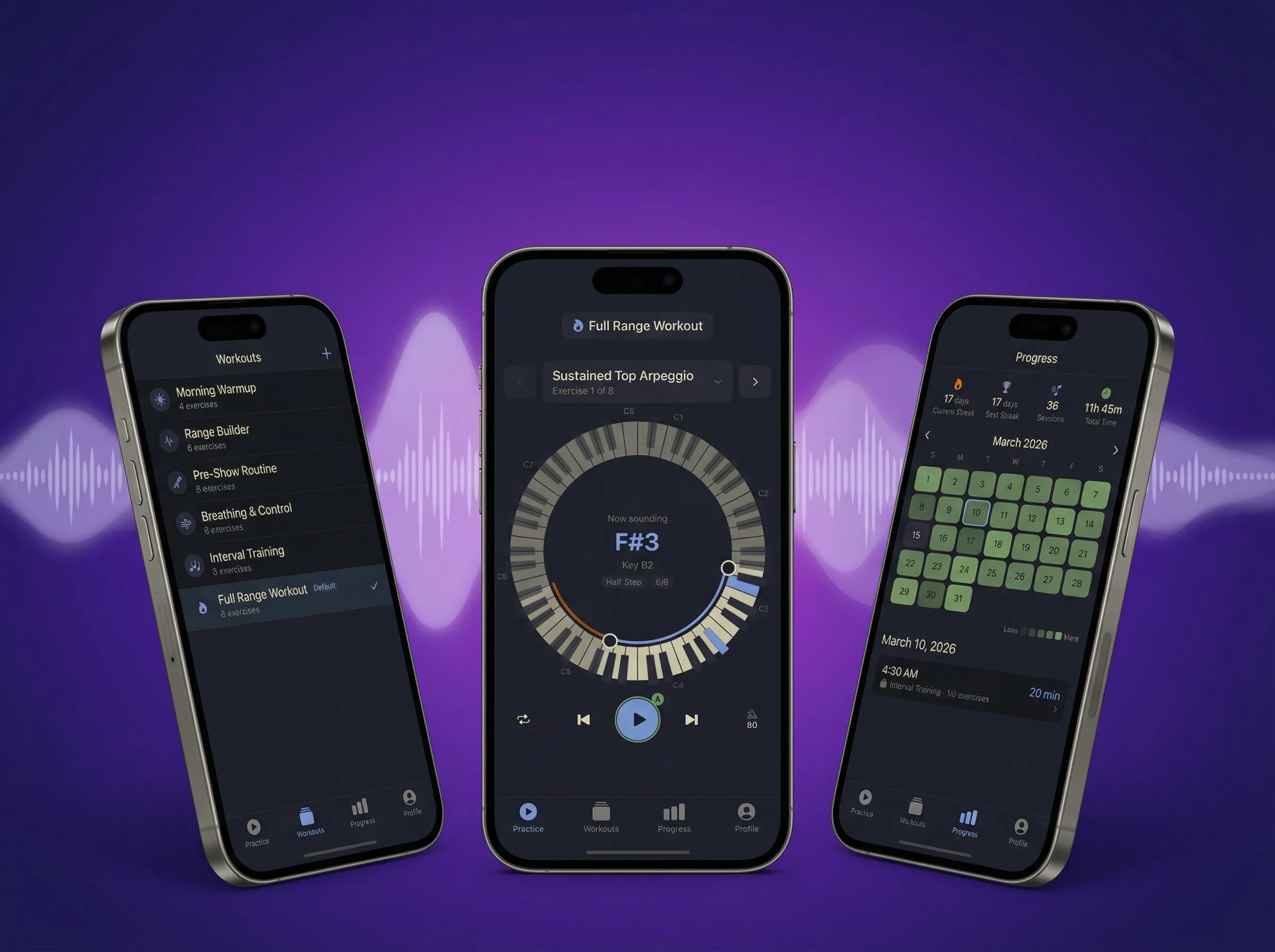
Vocal Dojo is an iOS vocal practice app for singers, voice actors, and coaches who want more control than prerecorded warmup videos allow. It turns a library of proven exercises into flexible, range-aware workouts that can adapt to the day, the goal, and the part of the voice being trained. It is live on the App Store and supported by vocaldojo.app.
Problem
This project started from my own vocal practice after dealing with vocal issues.
Most tools felt rigid: they give you a routine, a key, and a pace, then expect your voice to fit the template. That breaks down quickly when a voice changes day to day, and when vocal pedagogy itself is full of competing advice. I wanted something grounded in real exercises but adaptable to range, priorities, and current condition, with progress tracking built in.
Solution
Vocal Dojo keeps the exercises stable and makes the practice flexible.
- choose from a library of proven vocal patterns
- build workouts around a real vocal range
- adjust practice for different goals, different parts of the voice, or how the voice feels that day
- track sessions over time
What I built
- an iOS app for warmups and structured vocal practice
- 30+ exercise patterns
- custom workouts that group exercises into reusable routines
- a circular piano interface for setting key and range
- progress tracking for session history and consistency
- URL-based workout sharing without a backend
Technical architecture
- App: SwiftUI on iOS
- Audio: AVFoundation with a piano SoundFont sampler and beat-accurate scheduling
- Persistence: GRDB with SQLite, stored locally on device
- Monetization: one-time purchase via StoreKit 2
- Web: static site on Cloudflare
- Backend: none
The app is local-first: no account, no required sync, and no server infrastructure just to make practice work.
Product decisions
This was more of an interaction-design exercise than a low-level engineering showcase.
The hard part was making specialized functionality feel obvious: organizing tabs, making workouts legible, keeping editing flows clear, and showing where a user is inside a routine. The circular piano interface is the clearest example. I wanted pitch and range to feel visual and tactile instead of buried in a dense settings sheet.
I also kept the product intentionally restrained: one-time purchase instead of subscription, and no backend. That reduced complexity and matched the kind of tool I wanted it to be.
Agent-assisted development
Agents wrote most of the Swift code, but they were useful because the surrounding workflow gave them fast, specific feedback.
That meant guardrails first: linting rules, pre-commit hooks, and targeted skills, including some from my Agent Skills project. Some of those skills were informed by patterns and advice from well-known Swift developers.
Custom debug logging was especially important for audio issues like background playback, metronome and exercise timing, and Bluetooth drops. This project also pushed me further on release automation: ASC CLI, tagging and release scripts, automated testing with XcodeBuildMCP, and upgraded screenshots with Nano Banana plus post-processing.
The main lesson was that agents become much more useful when code, testing, and shipping all have clear standards and fast feedback.
What I learned
- flexible practice tools matter because voices and goals change day to day
- interaction design and scope restraint mattered as much as the implementation
- agents became far more useful once they were paired with clear standards and fast feedback loops